SPECIALIST COMMERCE / Project overview
3 min readReThrow
Product details that support a more informed buying decision.
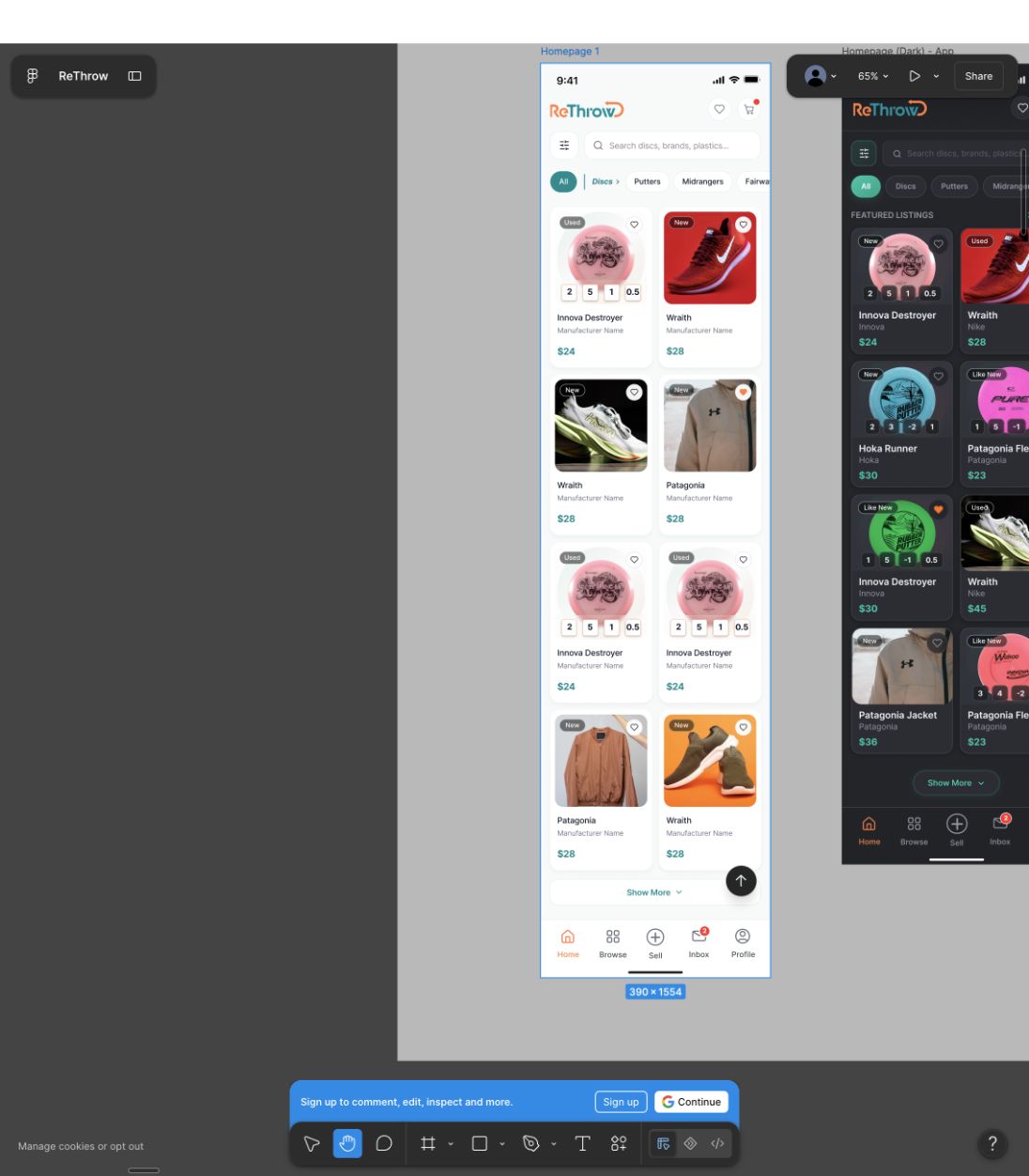
Interfaces in development, using example content. Launch outcomes and user-test results are not yet documented here.
The design challenge
For disc-golf gear, a photograph and price tell only part of the story. Technical attributes and condition matter to buyers, while sellers need a manageable way to provide useful product information.
The project includes browsing, product detail, listing creation, photo preparation, drafts and checkout. The source designs also explore light and dark appearances.
- Browse
- Evaluate details
- Review seller
- Purchase
A closer look at the choices
A retrospective review of the interfaces, the trade-offs they raise and what to test next.
October 2026 · Proposed tests have not been run.
Choice 01
Make specialist attributes useful at a glance
The product card combines condition, price and technical values; wider detail screens include weight and plastic.
- Why it matters
- A disc-golf buyer may be comparing a specific flight profile rather than choosing by the photograph alone.
- The trade-off
- Experienced buyers can scan compact values quickly, but unfamiliar buyers may need labels and explanations. More data is not automatically better information.
- How to check
- Ask experienced and newer buyers to compare two discs and explain which information influenced their choice.
Choice 02
Treat listing creation as a separate design problem
The listing flow separates photographs and details, offers image cropping and includes saved drafts.
- Why it matters
- Useful buyer information depends on sellers being able to prepare a complete listing without losing progress.
- The trade-off
- Required fields improve consistency but add effort. Drafts help with interruptions, while clear completion rules still need attention.
- How to check
- Have a seller start with incomplete details, save a draft and return to finish. Observe where they lose context.
Choice 03
Build trust beyond the product photograph
The wider designs include seller details, ratings, payment options and cancellation examples.
- Why it matters
- Condition, seller credibility and purchase terms each affect whether a buyer is ready to commit.
- The trade-off
- Trust cues can become visual noise. Important terms must be understandable without making the product page overwhelming.
- How to check
- Before checkout, ask a buyer to explain who is selling, what the condition means and what happens if the purchase is cancelled.
What to validate next
Priorities for the next iteration.
Compare expert and novice comprehension, then test the seller’s draft-to-publish journey. Useful measures include task completion, misinterpretations and points where help is needed.