Guest / Pending
Your request is awaiting a response
Keep the requested date and guest count visible. Explain that this is not yet a confirmed reservation.
DINING MARKETPLACE / Project overview
4 min readConnecting discovery, reservations and host coordination.
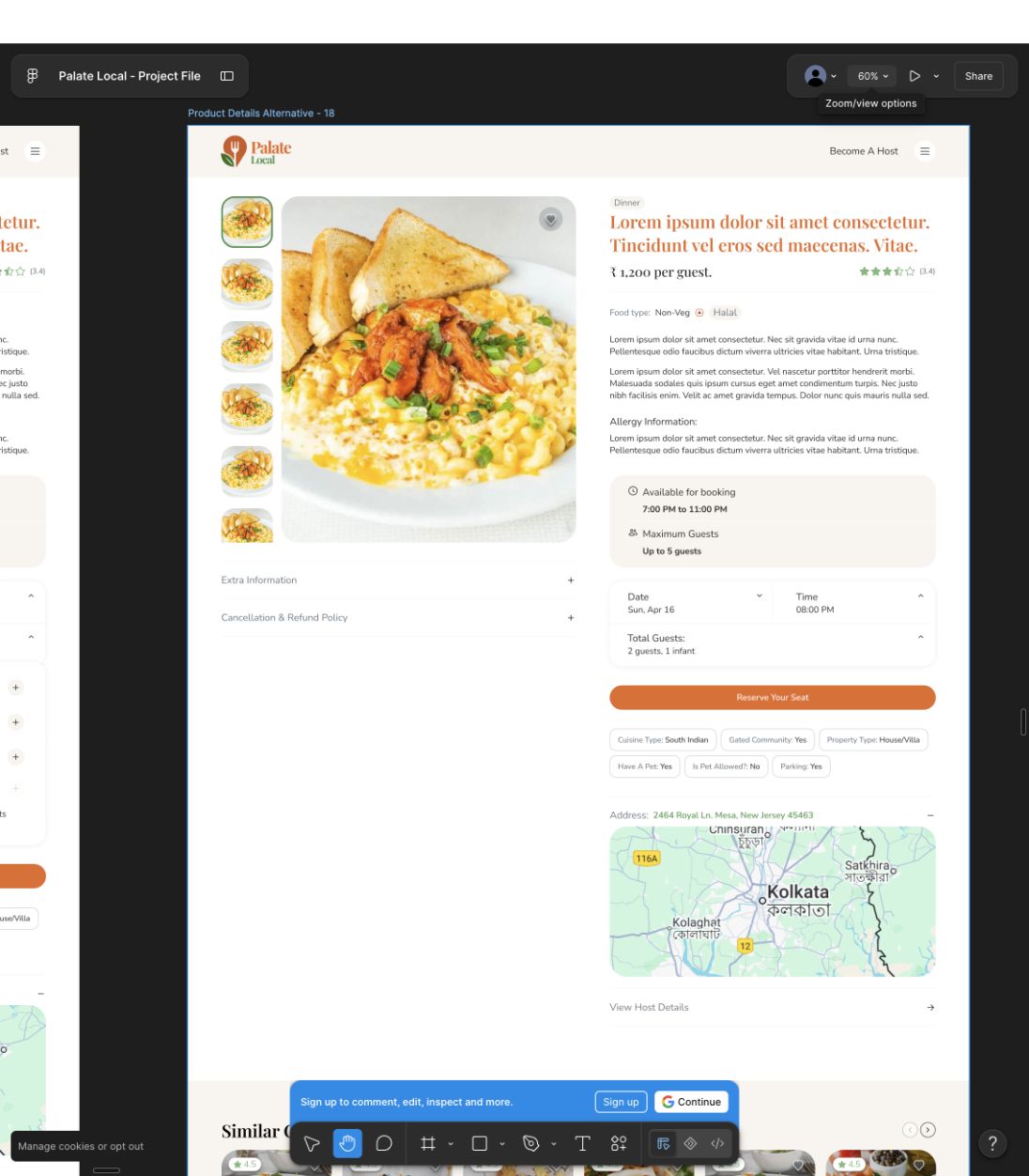
Interfaces in development, using example content. Launch outcomes and user-test results are not yet documented here.
Guests need to understand an experience, check availability and make a reservation. Hosts need a clear way to respond to requests and manage changes. The product has to connect both sides of the booking.
The project includes discovery, dining details, checkout, host notifications and account flows across web and mobile.
A retrospective review of the interfaces, the trade-offs they raise and what to test next.
October 2026 · Proposed tests have not been run.
Choice 01
Hours, capacity, date, time and guest count sit close to the reservation action.
Choice 02
The wider design includes pending, confirmed, declined, expired and cancelled notifications.
Choice 03
Discovery, experience details and checkout are represented across web and mobile.
Design exploration · October 2026
A small interaction study built for this portfolio review. It explores how existing booking-state labels could guide guests and hosts; it is not the client’s implemented flow.
Guest / Pending
Keep the requested date and guest count visible. Explain that this is not yet a confirmed reservation.
Host / Pending
Show the requested date and party size alongside the actions to accept or decline.
Design considerationThe same state creates different needs: reassurance for the guest, a decision for the host.
Guest / Confirmed
Show the agreed date, time and guest count, with directions and a way to contact the host.
Host / Confirmed
Keep the confirmed details accessible so the host can prepare for the visit.
Design considerationConfirmation should move both people from waiting to preparation.
Guest / Declined
Use clear, considerate language and offer a route back to other experiences.
Host / Declined
Make the decision explicit and keep a record of the request and response.
Design considerationA recovery path matters more than a generic error message.
Guest / Expired
Distinguish expiry from a host declining. Explain that the guest must check availability again.
Host / Expired
Separate inactive requests from those that still need a response.
Design considerationAn expired request must not look like an active reservation on either side.
Guest / Cancelled
State what changed and where to find the relevant cancellation and payment information.
Host / Cancelled
Show the cancellation clearly in the booking record so preparations can be adjusted.
Design considerationAvoid promising a refund or released capacity until the actual product rules are agreed.
Proposed communication only. Timing, payment and cancellation rules need confirmation with the product team and testing with users.
Priorities for the next iteration.
Start with comprehension of availability and booking status. Then test whether guests and hosts can recover from a request that cannot proceed.